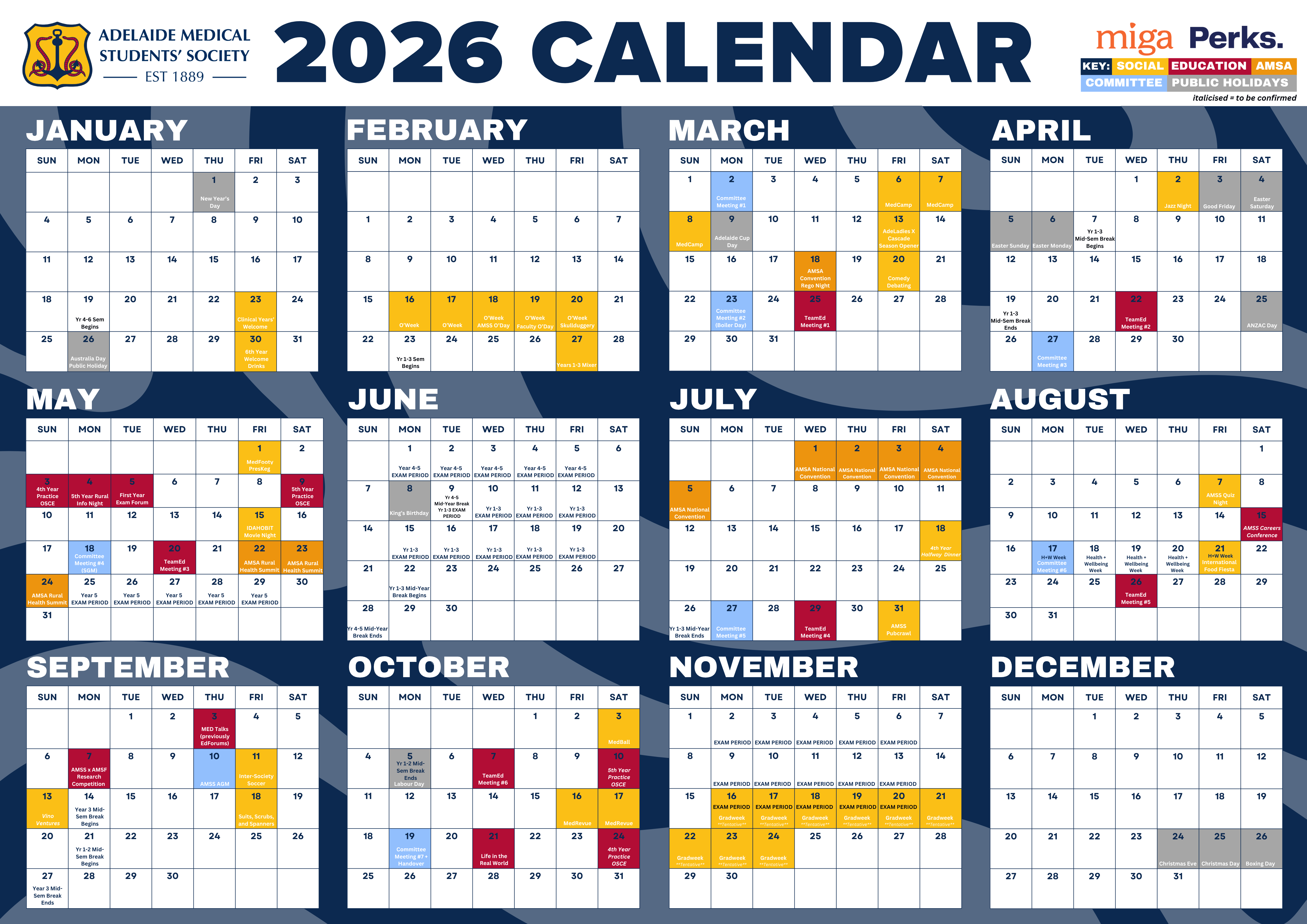
Laptop users: Subscribe to the AMSS Google Calendar so events automatically show up in your calendar.
Phone users: Click here and select '+' in the bottom right corner to subscribe to GCal.
(Apple Calendar instructions below).
OR subscribe to the AMSS iCal by copying this link: https://calendar.google.com/calendar/ical/amss.committee.calendar%40gmail.com/public/basic.ics
- iPhone > Calendar app > Calendars (bottom of screen) > Add Calendar > Add Subscription Calendar > Paste link
- Mac > Calendar app > File > New calendar subscription > Paste link
2026 AMSS Wall Planner Print: CLICK TO DOWNLOAD